Run your whole OcNOS network
from one screen
IP Maestro is a GUI-based Element Management System (EMS) for OcNOS. See the state of each managed device, work alarms from one list, and push configuration or software to many devices at once, without per-device CLI sessions.
Illustrative interface
From the command line to one console
Managing OcNOS device by device means a mix of SSH sessions, SNMP tools, and scripts you maintain yourself. IP Maestro replaces that with one GUI built for OcNOS.
Faults found too late
Without a live view, an alarm on one device often surfaces only when a customer notices. Finding it means SSH and guesswork.
See faults as devices report them
Alarms appear on the topology map and in one alarm list, so the NOC can act without logging in to each device.
Changes, one box at a time
Rolling the same config or a new image across a fleet means repeating per-device CLI steps, in a maintenance window, by hand.
Change the whole fleet in one move
Push configuration or a software image to one device or many from one screen, and schedule configuration pushes for a maintenance window.
No single source of truth
Topology, inventory, alarms, and logs live in different terminals and spreadsheets, so nobody has the whole picture in one place.
One source of truth
Topology, inventory, faults, and logs in a single console, with no per-device CLI.
Day-to-day OcNOS operations, from one screen
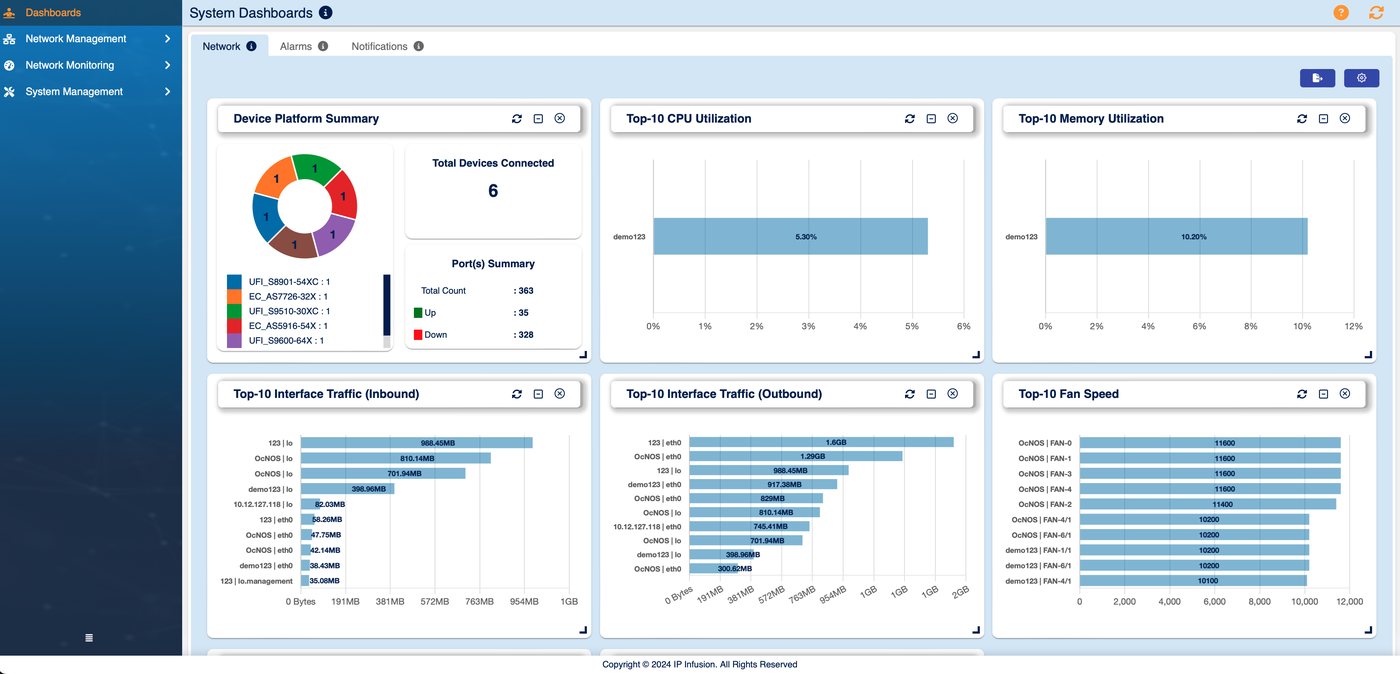
See your whole network at a glance
Open IP Maestro and the state of every OcNOS device is in front of you. No hunting across terminals, no stale spreadsheet.
- Live topology map with link health by color and alarms shown on the map.
- Inventory and device details with CPU, memory, transceivers, and administrative status.
- Dashboards and streaming telemetry with customizable metrics and graphs. Streaming telemetry needs OcNOS 6.6.0 or later.
- Third-party devices on the map linked to your OcNOS devices, so the topology shows the physical network.New in 3.1
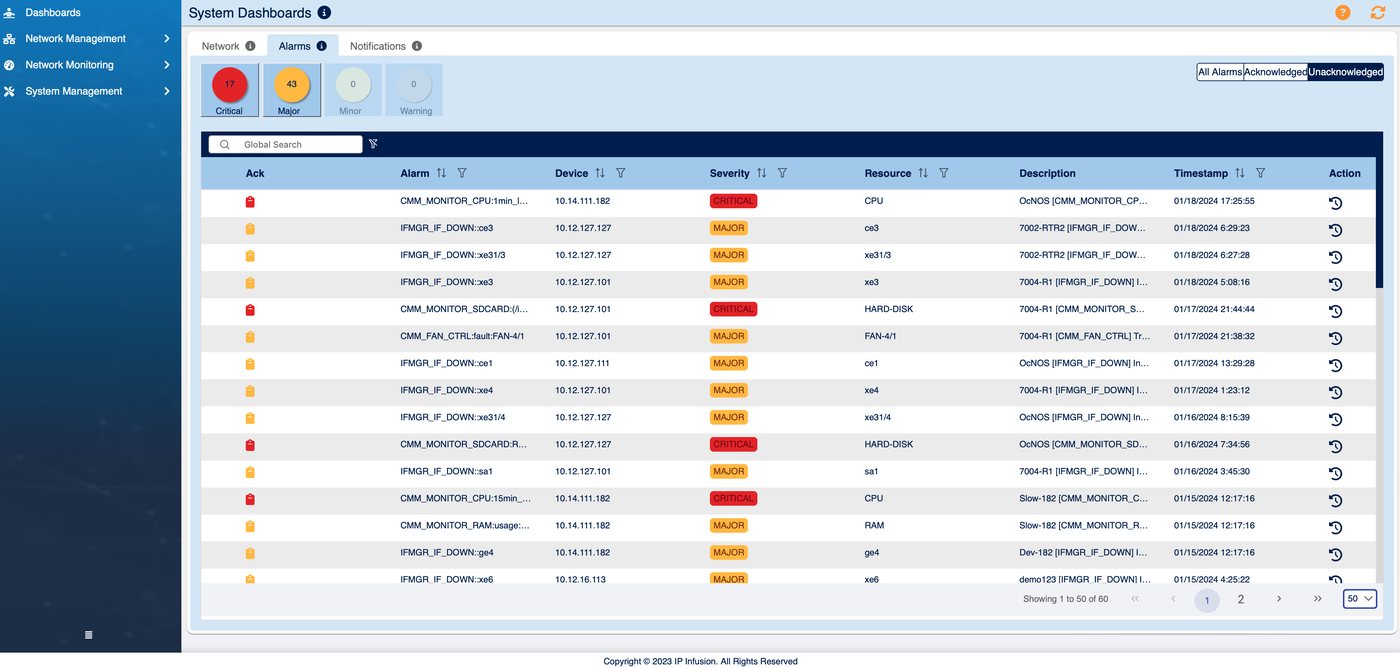
Know when something breaks
Alarms come to you as devices report them, so the NOC works from one alarm list instead of searching device by device.
- Fault management from NETCONF notifications, with severity cues and alarm acknowledgement.
- Email notifications on alarm, with the triggering severity configurable per user.
- Searchable log repository consolidated across every managed device.
- Performance monitoring with per-device counters and trend graphs.
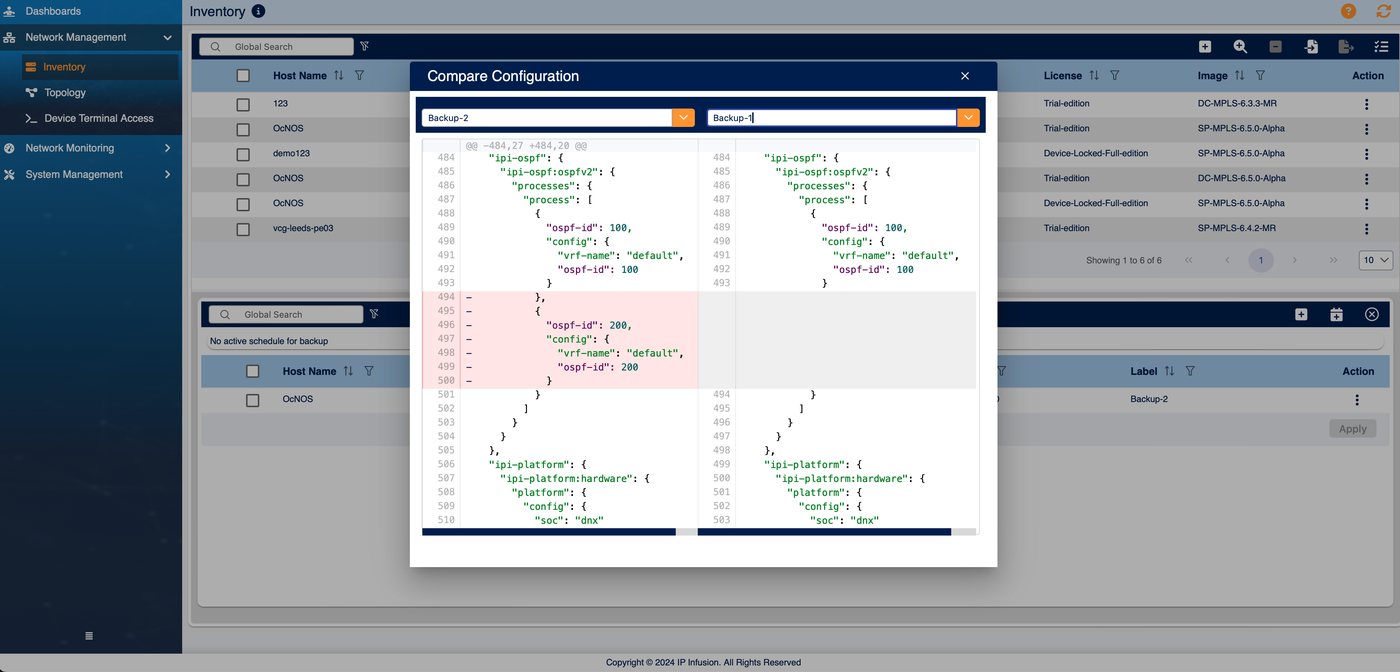
Change hundreds of devices in one move
Make a change once and roll it to one device or the whole fleet, on your schedule, with a diff to prove what changed.
- Text config push to OcNOS in CLI or JSON, based on NETCONF data models.
- Scheduled and mass provisioning for maintenance windows.New in 3.1
- Backup and config diff with scheduled periodic backups.
- Software image updates pushed to one device or many from the GUI.
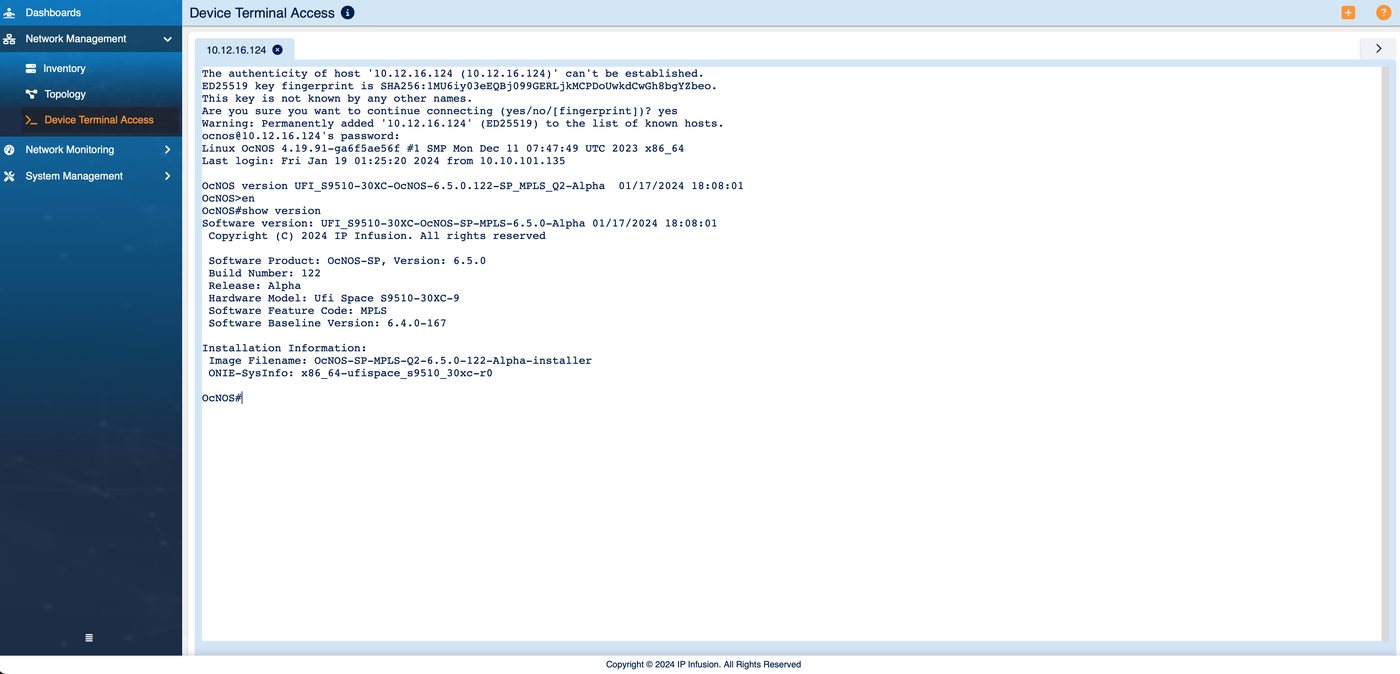
Secure it, and fit it into your stack
Built to fit how you already operate: your authentication, your tooling, and your language.
- Role-based access (RBAC) with LDAP admin, operator, and user profiles, with audit logs.
- Northbound REST API so an NMS or OSS can drive OcNOS through IP Maestro.
- Device terminal access with SSH to OcNOS straight from the UI.
- Internationalized UI including Japanese, plus remote system backup.
One management node, your whole OcNOS fleet
A single IP Maestro instance manages and monitors many OcNOS devices over NETCONF. The devices can be laid out in any topology, including a leaf/spine (Clos) fabric. IP Maestro itself runs on one server or VM, not a cluster.
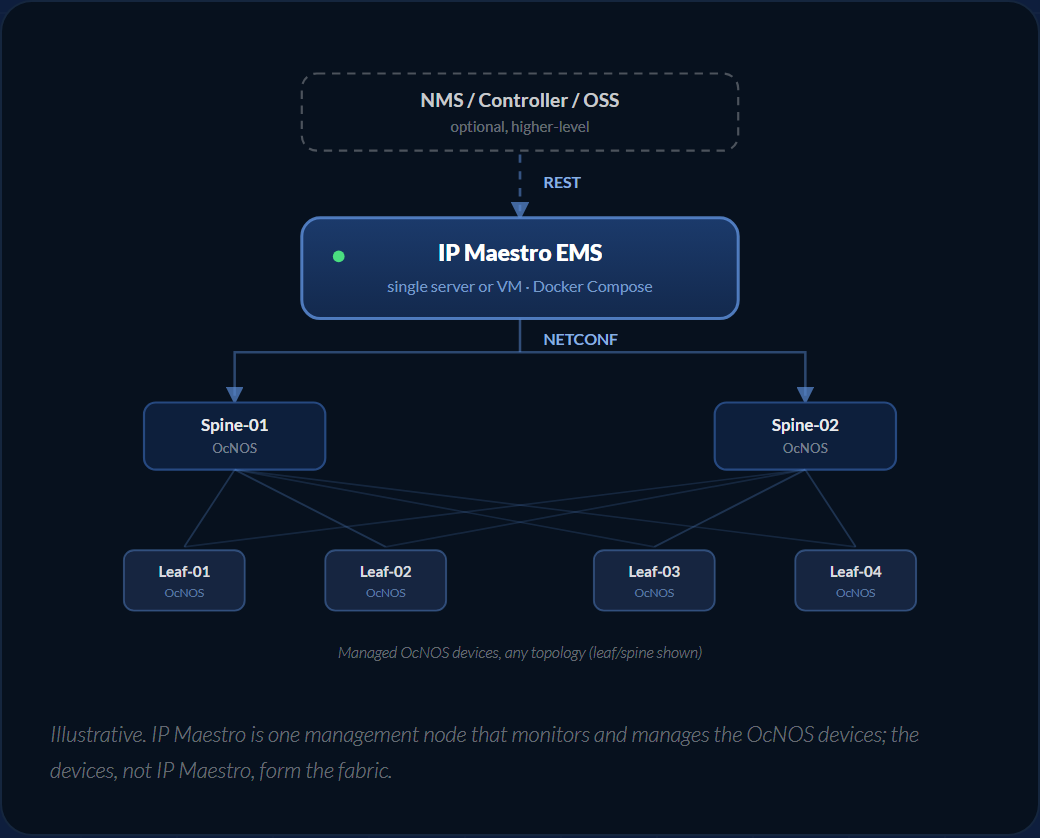
Illustrative. IP Maestro is one management node that monitors and manages the OcNOS devices; the devices, not IP Maestro, form the fabric.
Southbound: NETCONF
IP Maestro talks to OcNOS devices over NETCONF, carrying configuration and the fault notifications that drive alarms.
Northbound: REST API
A REST API lets a higher-level controller or OSS integrate with IP Maestro, including config push through to the devices.
One instance, one host
Runs as Docker Compose micro-services on a single Ubuntu server or KVM VM. No cluster required.
EMS, not NMS. IP Maestro manages network elements directly. When you already run an NMS or OSS, it sits beneath them through the northbound REST API.
One VM, up to 250 devices
IP Maestro runs as a set of Docker Compose micro-services on a single Ubuntu host or KVM virtual machine. No cluster required.
- Operating system
- Ubuntu or Red Hat Enterprise Linux
- Hypervisor (VM)
- KVM virtual machine
- Container runtime
- Docker Compose
- Server sizing (250 devices)
- 8 vCPU · 32 GB memory · 1 TB disk
- Interfaces
- NETCONF southbound · REST API northbound
Take the full IP Maestro spec with you
The complete IP Maestro datasheet: capabilities, system recommendations, and server sizing. Opens as a PDF right after a short form.
IP Maestro 3.x Datasheet
Quick form. Your PDF opens in a new tab immediately after submit.
✓ Opening your PDF in a new tab…
If it didn't open, use the link below.
See IP Maestro against your own lab
Download the free demo VM and evaluate IP Maestro on your own OcNOS topology. No commercial discussion required. Try the free IP Maestro demo VM.
Download the demo VM
Grab the free KVM image and quick-start guide.
Point it at your OcNOS lab
Bring up the demo topology and start managing devices.
Book a live walkthrough
Want a guided tour? Our team will walk you through it.
An IP Maestro license sets how many devices each instance can manage. Contact us for licensing and sizing guidance.