Part of IP Infusion's guide to 세그먼트 라우팅.
In Part 2, we used TE-metric to optimize paths for bandwidth capacity. Part 3 takes this further: instead of a statically configured cost, we use measured link delay, the actual microsecond latency of each link, as the Flex-Algo optimization metric. OcNOS can source that delay two ways: a static per-interface value, or a live value measured with TWAMP (Two-Way Active Measurement Protocol) using TWAMP-light. When a link's delay changes, IS-IS re-advertises it and the per-algorithm SPF automatically recomputes the lowest-delay path.
Link Delay vs. TE-Metric: Key Difference
| Metric | Source | Dynamic? | Best For |
|---|---|---|---|
| IGP metric | Static config | 아니요 | Default routing |
| TE metric | Static config | 아니요 | Capacity-based steering |
| Link delay | Static value or TWAMP measurement | Yes, updates dynamically | Latency-sensitive apps (5G, VoIP, gaming) |
How Delay-Based Flex-Algo Works

The validated lab below runs a seven-node IS-IS Segment Routing core (R1-R7, IS-IS instance OCNOS) with three delay-optimized Flexible Algorithms, 132, 133 and 134, each using metric-type link-delay. Some links carry a static configured delay, others are measured live with TWAMP-light.
Step 1: Define the Delay-Optimized Flex-Algorithms
Each node enables capability flex-algo routing and defines the algorithms under router isis. Every algorithm uses metric-type link-delay and enables ti-lfa for fast reroute. segment-routing mpls is enabled under the IS-IS instance.
! OcNOS -- Flex-Algo definitions on a participating node (R4).
! All three algorithms optimize on measured/advertised link delay.
R4#show running-config router isis
!
router isis OCNOS
 is-type level-2-only
 capability flex-algo routing
 flex-algo 132
  metric-type link-delay
  ti-lfa
 exit-flex-algo
 !
 flex-algo 133
  metric-type link-delay
  ti-lfa
 exit-flex-algo
 !
 flex-algo 134
  metric-type link-delay
  ti-lfa
 exit-flex-algo
 !
 metric-style wide
 mpls traffic-eng router-id 10.10.100.4
 mpls traffic-eng level-2
 capability cspf
 dynamic-hostname
 fast-reroute ti-lfa level-2 proto ipv4
 bfd all-interfaces
 net 49.0001.0000.0000.0004.00
 segment-routing mpls
!
R4#One node is elected as the definition winner for each algorithm using a higher priority. In this lab R7 wins with priority 101. R7 also constrains algorithm 134 with exclude-maximum-delay 25, so any link whose delay exceeds 25 is pruned from the 134 topology.
! OcNOS -- Definition-winner node (R7): priority 101 plus a delay
! constraint on algorithm 134 (exclude-maximum-delay 25).
R7#sh run router isis
!
router isis OCNOS
 is-type level-2-only
 capability flex-algo routing
 flex-algo 132
  metric-type link-delay
  priority 101
  ti-lfa
 exit-flex-algo
 !
 flex-algo 133
  metric-type link-delay
  priority 101
  ti-lfa
 exit-flex-algo
 !
 flex-algo 134
  metric-type link-delay
  priority 101
  ti-lfa
  exclude-maximum-delay 25
 exit-flex-algo
 !
 metric-style wide
 mpls traffic-eng router-id 10.10.100.7
 mpls traffic-eng level-2
 capability cspf
 dynamic-hostname
 fast-reroute ti-lfa level-2 proto ipv4
 bfd all-interfaces
 net 49.0001.0000.0000.0007.00
 segment-routing mpls
!
R7#
Step 2: Assign Per-Algorithm Prefix-SIDs
Each node advertises a Segment Routing prefix-SID for the base algorithm (SPF, algorithm 0) and a separate prefix-SID for each Flex-Algorithm on its loopback. A headend selects a delay-optimized path simply by pushing the corresponding per-algorithm SID.
! OcNOS -- Loopback prefix-SIDs (R4): base SID plus one SID per Flex-Algo.
! algorithm-num can take an SRGB index or an absolute label value.
R4#show running-config interface loopback1
!
interface loopback1
 ip address 10.10.100.4/32
 prefix-sid index 104
 prefix-sid algorithm-num 132 index 2804
 prefix-sid algorithm-num 133 absolute 18904
 prefix-sid algorithm-num 134 absolute 18954
 ip router isis OCNOS
!
R4#
Step 3: Provide Link Delay (Static and TWAMP-Measured)
OcNOS advertises link delay in the IS-IS TE sub-TLVs (enabled by metric-style wide). The delay value itself is sourced per interface either as a static minimum/maximum with isis te-minimum-delay flex-algo 및 isis te-maximum-delay flex-algo, or measured live with delay-measurement dynamic twamp.
! OcNOS -- Per-interface delay (R4).
! cd0 uses a static configured min/max delay; xe25 measures delay with TWAMP-light.
R4#show running-config interface cd0
!
interface cd0
 description To-R2-cd0
 load-interval 30
 ip address 10.66.24.4/24
 mtu 9216
 label-switching
 isis network point-to-point
 isis circuit-type level-2-only
 ip router isis OCNOS
 no isis hello padding
 isis te-minimum-delay flex-algo 30
 isis te-maximum-delay flex-algo 40
!
R4#show running-config interface xe25
!
interface xe25
 description To-R1-xe25
 load-interval 30
 ip address 10.66.14.4/24
 mtu 9216
 label-switching
 isis network point-to-point
 isis circuit-type level-2-only
 ip router isis OCNOS
 no isis hello padding
 delay-measurement dynamic twamp reflector-ip 10.66.14.1 reflector-port 1141
!
R4#
Dynamic measurement uses TWAMP-light. Each node runs a reflector (answering delay probes) and a controller (sending them). The reflector-name/reflector-ip/reflector-port entries pair each session with its neighbor.
! OcNOS -- TWAMP-light on R4 (single measured neighbor, xe25 to R1).
R4#show running-config twamp
twamp-light reflector
 reflector-admin-state enable
  reflector-name R41 reflector-ip ipv4 10.66.14.4 reflector-port 1114
twamp-light control
 control-admin-state enable
 interface xe25
  delay-measurement dynamic twamp reflector-ip 10.66.14.1 reflector-port 1141
!
R4#

! OcNOS -- TWAMP-light on R1 (three measured neighbors: ce0, ce1, xe25).
R1#show running-config twamp
twamp-light reflector
 reflector-admin-state enable
  reflector-name R12 reflector-ip ipv4 10.66.12.1 reflector-port 1121
  reflector-name R13 reflector-ip ipv4 10.66.13.1 reflector-port 1131
  reflector-name R14 reflector-ip ipv4 10.66.14.1 reflector-port 1141
twamp-light control
 control-admin-state enable
interface ce0
 delay-measurement dynamic twamp reflector-ip 10.66.12.2 reflector-port 1112
!
interface ce1
 delay-measurement dynamic twamp reflector-ip 10.66.13.3 reflector-port 1113
!
interface xe25
 delay-measurement dynamic twamp reflector-ip 10.66.14.4 reflector-port 1114
!
R1#
Step 4: Verify Delay-Based Flex-Algo
Confirm the IS-IS adjacencies, then check that each algorithm is defined with the link-delay metric, that the correct definition winner is elected, and that per-algorithm routes and label paths are installed.
! OcNOS -- IS-IS neighbors on R4.
R4#show clns neighbors

Total number of L1 adjacencies: 0
Total number of L2 adjacencies: 3
Total number of adjacencies: 3
Tag OCNOS:  VRF : default
System Id   Interface  SNPA            State  Holdtime  Type  Protocol
R2          cd0        e8c5.7a92.4692  Up     24        L2    IS-IS
R3          cd1        e8c5.7a46.9246  Up     28        L2    IS-IS
R1          xe25       e8c5.7a49.b768  Up     21        L2    IS-IS
R4#
! OcNOS -- Per-interface delay. cd0/cd1 show the static configured min/max;
! xe25 shows the value measured by TWAMP-light (4). 4294967295 = not measured.
R4#show isis interface | include line|Delay
cd0 is up, line protocol is up
Level-2 Minimum Delay : 30
Level-2 Maximum Delay : 40
Measured Minimum-Delay :4294967295
Measured Maximum-Delay :4294967295
Measured Unidir-Link-Delay :4294967295
cd1 is up, line protocol is up
Level-2 Minimum Delay : 20
Level-2 Maximum Delay : 30
Measured Minimum-Delay :4294967295
Measured Maximum-Delay :4294967295
Measured Unidir-Link-Delay :4294967295
xe25 is up, line protocol is up
Measured Minimum-Delay :4
Measured Maximum-Delay :4
Measured Unidir-Link-Delay :4
loopback1 is up, line protocol is up
Measured Minimum-Delay :4294967295
Measured Maximum-Delay :4294967295
Measured Unidir-Link-Delay :4294967295
R4#! OcNOS -- Local flex-algo definitions: all three use metric-type link-delay.
R4#show isis flex-algo all status usercfg summary
ISIS Instance : OCNOS
Algorithm Number : 132
Metric Type : link-delay
Calculation Type : spf
Priority : 5
Prefix Metric Flag: No
Algorithm Number : 133
Metric Type : link-delay
Calculation Type : spf
Priority : 5
Prefix Metric Flag: No
Algorithm Number : 134
Metric Type : link-delay
Calculation Type : spf
Priority : 5
Prefix Metric Flag: No
R4#! OcNOS -- Elected definition winner: R7 (priority 101) wins all three algos.
R4#show isis flex-algo all status winner summary
ISIS Instance : OCNOS
Router-ID : 10.10.100.7, System-ID : 0000.0000.0007
Algorithm Number : 132
Metric Type : link-delay
Calculation Type : spf
Priority : 101 (Winner)
Prefix Metric Flag : No
Router-ID : 10.10.100.7, System-ID : 0000.0000.0007
Algorithm Number : 133
Metric Type : link-delay
Calculation Type : spf
Priority : 101 (Winner)
Prefix Metric Flag : No
Router-ID : 10.10.100.7, System-ID : 0000.0000.0007
Algorithm Number : 134
Metric Type : link-delay
Calculation Type : spf
Priority : 101 (Winner)
Prefix Metric Flag : No
R4#! OcNOS -- Per-algorithm topology (algo 132). R1/R2 do not participate in 132,
! so they show ** (unreachable in this algorithm's topology).
R4#show isis topology algorithm 132
Tag OCNOS: VRF : default
IS-IS paths to level-2 routers
Flex-algo 132
System Id Metric Next-Hop Interface SNPA
R1 **
R2 **
R3 20 R3 cd1 e8c5.7a46.9246
R4 --
R5 24 R3 cd1 e8c5.7a46.9246
R6 24 R3 cd1 e8c5.7a46.9246
R7 22 R3 cd1 e8c5.7a46.9246
R4#! OcNOS -- Per-algorithm route table (algo 134). Metrics are the accumulated
! link delay along each delay-optimized path.
R4#show ip isis route algorithm 134
Codes: C - connected, E - external, L1 - IS-IS level-1, L2 - IS-IS level-2
ia - IS-IS inter area, D - discard, e - external metric
** - invalid
Tag OCNOS: VRF : default
Total number of routes: 21
Destination Metric Next-Hop Interface Tag
L2 10.10.100.1/32 13 10.66.14.1 xe25 0
L2 10.10.100.2/32 16 10.66.14.1 xe25 0
C 10.10.100.4/32 10 -- loopback1 0
L2 10.10.100.5/32 20 10.66.14.1 xe25 0
L2 10.10.100.6/32 19 10.66.14.1 xe25 0
L2 10.10.100.7/32 18 10.66.14.1 xe25 0
R4#! OcNOS -- Data-plane check: label-switched ping and traceroute along the
! algorithm-134 path to R5 (10.10.100.5). The trace shows the SR label stack.
R4#ping mpls isis-sr ipv4 10.10.100.5/32 algorithm 134 detail
Sending 5 MPLS Echos to 10.10.100.5, timeout is 5 seconds
Codes:
'!' - Success, 'Q' - request not sent, '.' - timeout,
'x' - Retcode 0, 'M' - Malformed Request, 'm' - Errored TLV,
'N' - LBL Mapping Err, 'D' - DS Mismatch,
'U' - Unknown Interface, 'R' - Transit (LBL Switched),
'B' - IP Forwarded, 'F' No FEC Found, 'f' - FEC Mismatch,
'P' - Protocol Error, 'X' - Unknown code,
'Z' - Reverse FEC Validation Failed
Type 'Ctrl+C' to abort
! seq_num = 1 10.66.35.5 1.12 ms
! seq_num = 2 10.66.35.5 0.88 ms
! seq_num = 3 10.66.35.5 1.01 ms
! seq_num = 4 10.66.35.5 0.95 ms
! seq_num = 5 10.66.35.5 0.88 ms
Success Rate is 100.00 percent (5/5)
round-trip min/avg/max = 0.88/1.00/1.12
R4#
R4#trace mpls isis-sr ipv4 10.10.100.5/32 detail
Tracing MPLS Label Switched Path to 10.10.100.5, timeout is 5 seconds
Type 'Ctrl+C' to abort
0 10.66.34.4 [Labels: 16105]
R 1 10.66.34.3 [Labels: implicit-null] 0.80 ms
! 2 10.66.35.5 1.07 ms
R4#Steering Traffic onto a Delay-Optimized Path
In this validated lab, traffic is steered onto a delay-optimized path by using that algorithm's prefix-SID from Step 2. A headend that pushes the algorithm-134 SID for R5 sends the packet along the 134 (delay-optimized) topology, and every transit node forwards it using its own per-algorithm SPF result. No separate SR-TE policy or policy-based routing is required for basic Flex-Algo steering.
- Flex-Algo Part 1: Fundamentals
- Flex-Algo Part 2: TE-Metric Optimization
- Performance Measurement: TWAMP Guide
- SR-MPLS Fundamentals
- OcNOS-SP Product Page
- IP Infusion 문의
IP Infusion Engineering Team
더 깊이 살펴보십시오. 자료를 소장하십시오.
제품 데이터시트와 이 페이지보다 한층 더 깊이 있는 간결한 기술 다운로드 자료입니다.
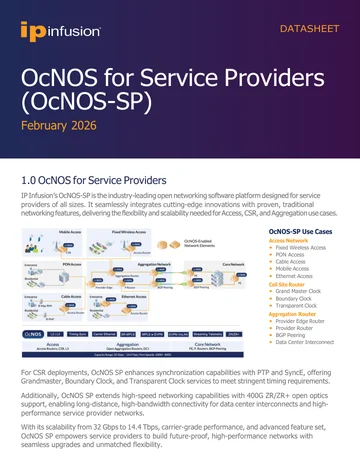
OcNOS-SP 데이터시트
OcNOS-SP 전체 사양: 액세스, 셀 사이트, 애그리게이션 기능 세트, 소프트웨어 SKU, 지원 하드웨어 플랫폼, 솔루션 주문 가이드.
Datasheet 받기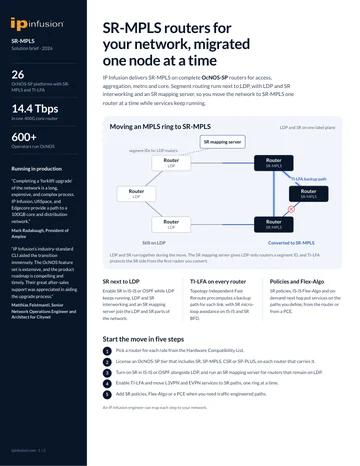
OcNOS로 SR-MPLS 업그레이드
오픈 하드웨어 위에서 SR-MPLS를 OcNOS로 마이그레이션하기: Flex-Algo, TI-LFA, 그리고 노드 단위 전환 경로를 다룹니다.
브리프 받기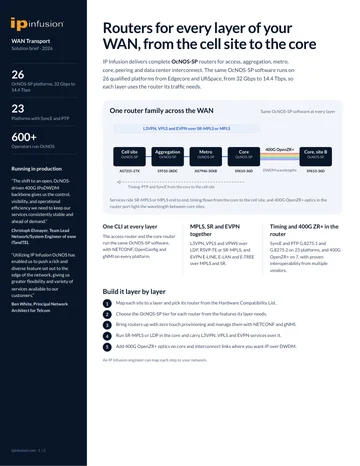
클라우드 & 서비스 공급자 WAN 전송
open hardware에서의 클라우드 및 service provider용 WAN 트랜스포트: SR-MPLS, EVPN, 규모가 검증된 포워딩.
브리프 받기OcNOS-SP 데이터시트
간단한 양식입니다. 제출하면 PDF가 즉시 새 탭에서 열립니다.
✓ 새 탭에서 PDF를 여는 중입니다…
열리지 않았다면 아래 링크를 이용해 주십시오.
OcNOS로 SR-MPLS 업그레이드
간단한 양식입니다. 제출하면 PDF가 즉시 새 탭에서 열립니다.
✓ 새 탭에서 PDF를 여는 중입니다…
열리지 않았다면 아래 링크를 이용해 주십시오.
클라우드 & 서비스 공급자 WAN 전송
간단한 양식입니다. 제출하면 PDF가 즉시 새 탭에서 열립니다.
✓ 새 탭에서 PDF를 여는 중입니다…
열리지 않았다면 아래 링크를 이용해 주십시오.